From blank page to structured brief
in 20 minutes instead of 60
UX AI Generator transforms vague product ideas into structured discovery artifacts — reducing blank-page friction for solo designers and small teams through guided input and AI-powered generation.
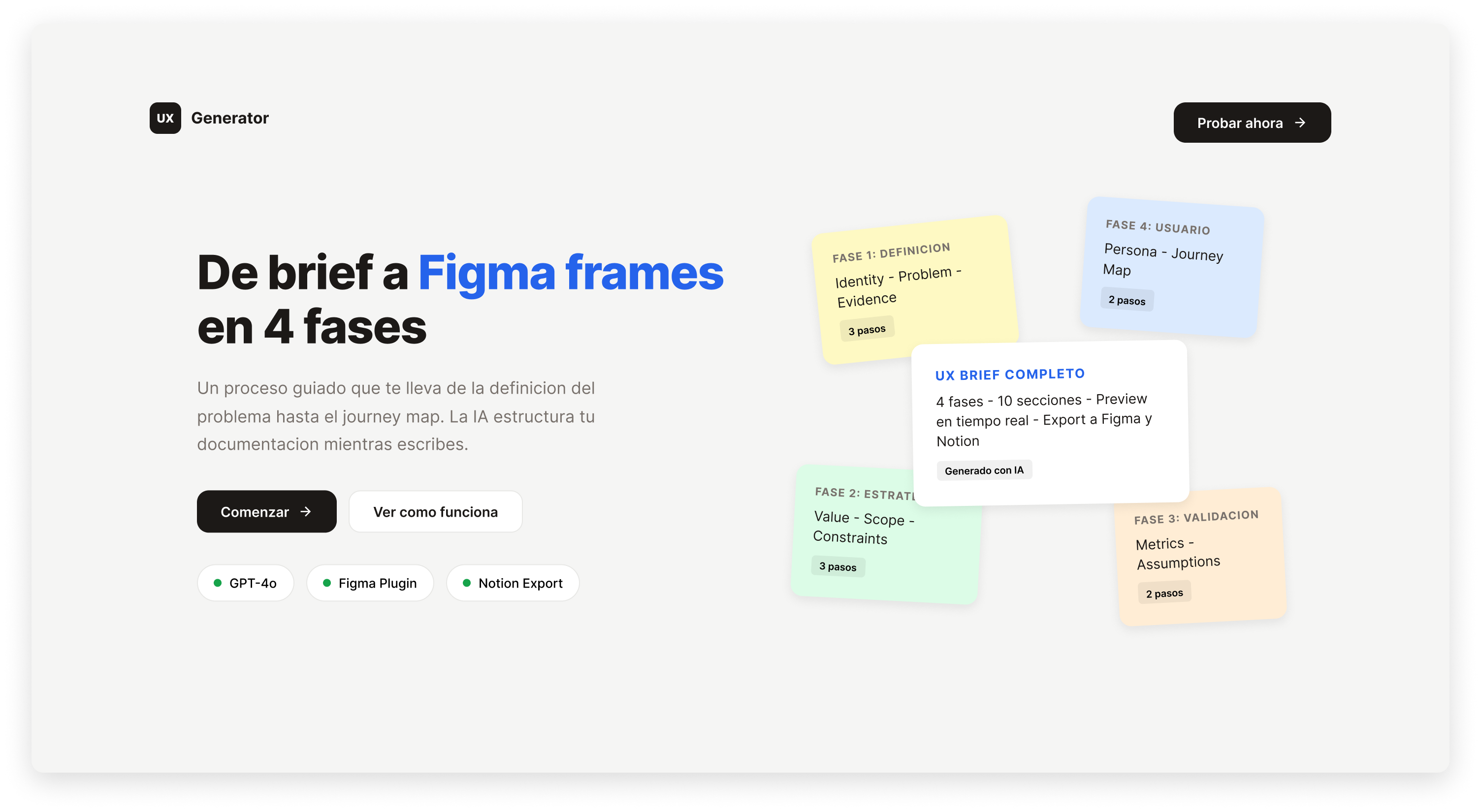
The blank page kills product momentum
Product designers lose hours at the start of every project — not because they lack ideas, but because they lack structure. Early-stage discovery is fragmented, undocumented, and entirely manual.
They copy-paste templates, run AI chat threads, and maintain disconnected Notion pages. Nothing guides their thinking. Nothing produces consistent outputs.
● The Problem
Product Designers need to structure early product ideas because rushed discovery leads to vague concepts. Lack of structure blocks them, resulting in fragmented documentation across tools.
● The Real Cost
It's not just "bad UX" — it's real product drag. Time lost reconciling information, inconsistent outputs across team members, avoidable rework when early decisions get revisited.
Without a shared framework, teams can't move fast without sacrificing clarity.
The problem wasn't blank pages — it was missing structure.
Initial assumption: designers needed better templates. What research revealed: they wanted to document, but every attempt produced incompatible formats. The real problem was the absence of a framework that guides thinking before producing outputs.
"I hate starting from scratch."
— Product Designer · LinkedIn feedback"I just copy-paste templates — nothing guides my thinking."
— Product Designer · LinkedIn feedback"I want to feel sure about my decisions."
— Product Designer · LinkedIn feedbackDesigned for Alex
Synthesized from LinkedIn community feedback and continuous self-use. Alex represents the solo designer or small-team PM who needs to move fast without losing clarity at early decision points.
"I want to feel sure about my decisions — but I lose time every time I start a new project because there's no structure to guide me."
Motivations
Feel confident
Wants certainty at early decision points
Meet tight deadlines
External pressure creates urgency to move fast
Share structured outputs
Needs team-ready artifacts, not just personal notes
Frustrations
Starting from scratch
Blank page causes anxiety and wasted time
Manual structuring
Current tools require organizing everything by hand
No export path
No clear way to share structured artifacts with team
Three moments that define the experience
Mapped from 5 contextual observation sessions. Each stage reveals a distinct emotional arc and a clear design opportunity.
Discovery
User has a rough idea. Searches for structure. Evaluates AI options. Feels overwhelmed by the choices.
Onboarding
Fills the guided form. Reviews AI-generated artifacts. Exports to Notion. Forms initial opinion on value.
Regular Use
Tool integrates into routine. Used across multiple projects. Outputs shared with team.
Flexibility vs. Consistency
Designers valued freedom to structure information their own way. But that same flexibility caused fragmentation — 70% struggled precisely because there were no guardrails.
Decision: "Guided Structure" — required fields that ensure consistency, with optional space for additional context. Intentional constraint that liberates rather than limits.
Guided inputs → predictable, shareable outputs
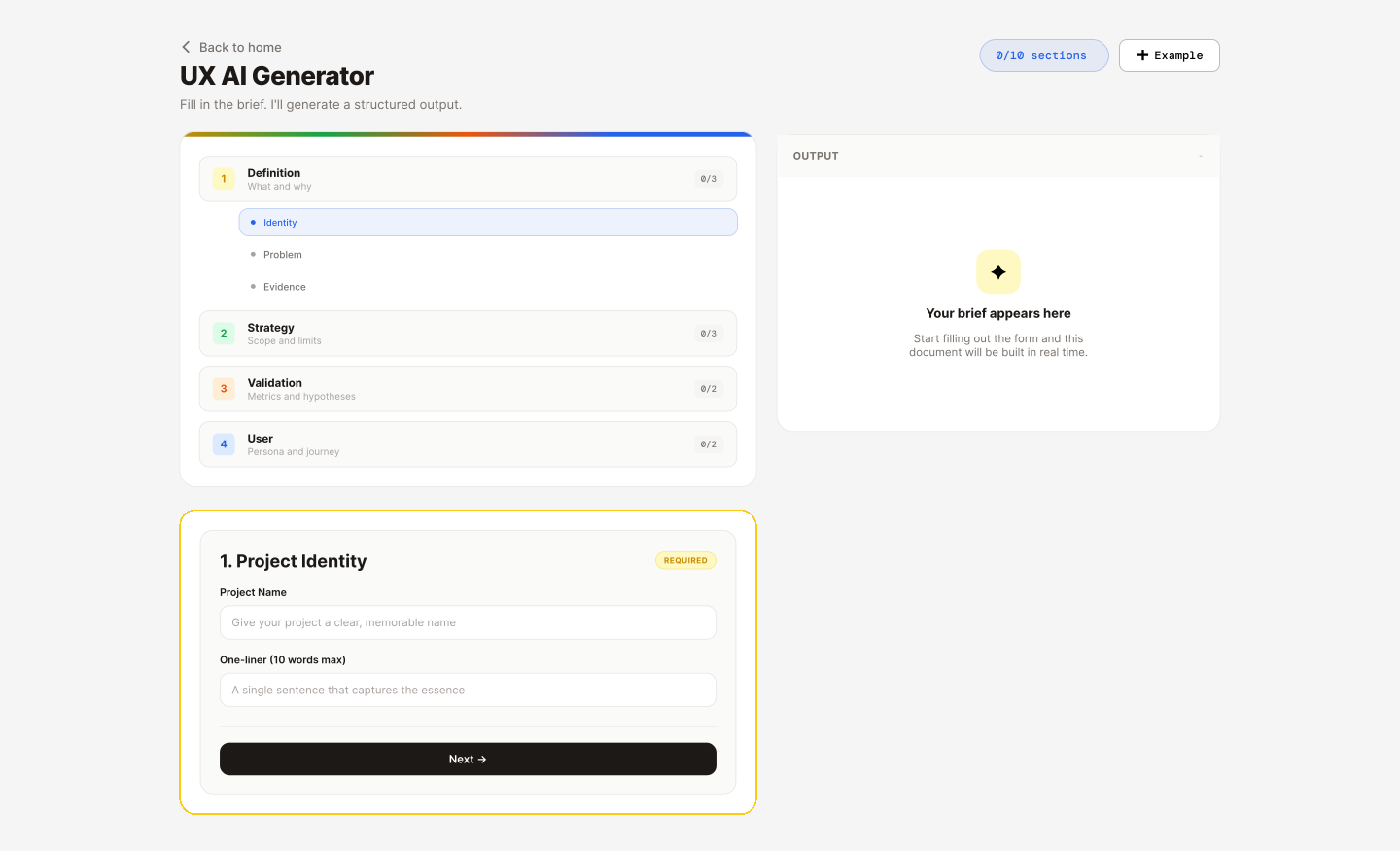
A live web tool with 10 structured UX sections that capture product intent, process it through OpenAI GPT-4o, and export consistent artifacts directly to Notion — or download as JSON.
Guided Input Form — 10 Sections
Project Identity · Problem · Evidence · Value · Scope · Constraints · Metrics · Assumptions · Persona · Journey
AI-Generated UX Artifacts
OpenAI GPT-4o generates structured briefs from inputs. Eliminates blank-page friction on every new project.
Notion Export
One-click export sends structured output directly to user's Notion workspace via API integration.
JSON + File Download
Raw export for flexible integration with other tools in the designer's workflow.
Figma Plugin
Full form integrated in Figma. Generate frames with auto-layout directly in your canvas — no copy-paste.
Web App
Form input transforms into structured UX artifacts
Figma Plugin
Full workflow inside Figma. Two modes: generate from scratch with the guided form, or paste JSON from the webapp for teams that prefer browser-first.
Generate Mode
Complete 10-section form inside Figma
Paste Mode
Import JSON from webapp for collaborative workflows
3 Themes
Dark, Light, Notion — matches your canvas
Generated UX Artifacts
Some artifacts the tool generates automatically:
UI Kit built for consistency and scalability
Created a complete design system with design tokens, reusable components, and variants to ensure visual consistency across the webapp and Figma plugin.
🎨 Design Tokens
Phase Colors
Typography
Spacing Scale
📦 Component Library
Buttons — Variants
Form Inputs — States
Badges — Variants
Cards — Phase Borders
⚙️ Figma Implementation
Variables & Tokens
Color, spacing, and typography tokens defined as Figma variables for easy theming
Component Variants
Buttons, inputs, badges with multiple states (default, hover, focus, disabled)
Auto Layout
All components built with auto layout for responsive behavior and easy modifications
Phase System
4-phase color coding (Definition, Strategy, Validation, User) applied consistently
Three principles behind every decision
Guide, Don't Dictate
Structured guidance without overwhelming users. Optional prompts at each section, not rigid mandatory fields that block progress.
Integrate Seamlessly
Outputs fit naturally into existing workflows. Notion, JSON, download — the user chooses how and where they work.
Empower Judgment
AI assists, never replaces. Every generated output is fully editable. The designer stays in control of every decision.
AI as a tool, not a replacement
Building this tool clarified my perspective on AI in design. It's not about replacing designers — it's about augmenting judgment with structure.
✓ What AI does well
Structure and consistency. Speed at synthesizing inputs into formats. Eliminating blank-page anxiety by providing a starting point.
The AI generates the scaffolding — but never the decisions.
◐ What still requires human judgment
Context. Strategy. Knowing when the AI output is wrong. Understanding stakeholder politics. Making tradeoffs that algorithms can't see.
The designer's role shifts from production to curation and direction.
"The designers who thrive in 2026 aren't the ones who avoid AI — they're the ones who know when to use it and when to override it."
— My working thesis after building this toolProjected outcomes
↻ What I'd do differently
I'd invest more in onboarding. The system works end-to-end, but new users take time to understand the mental model behind the 10 sections. An interactive walkthrough would compress the learning curve significantly.
I'd also explore project-type templates earlier — not every brief needs all 10 sections. A B2B SaaS product has different discovery needs than a consumer mobile app.